Applying filters to the device list
Who can do it: Service provider
Where: Wialon Platform Studio
The Devices page allows filtering the device list using various criteria. This helps you quickly locate a specific device or manage a subset of devices that share common attributes. You can use filters to manage devices in bulk.
To access all filters, click on the Search bar.
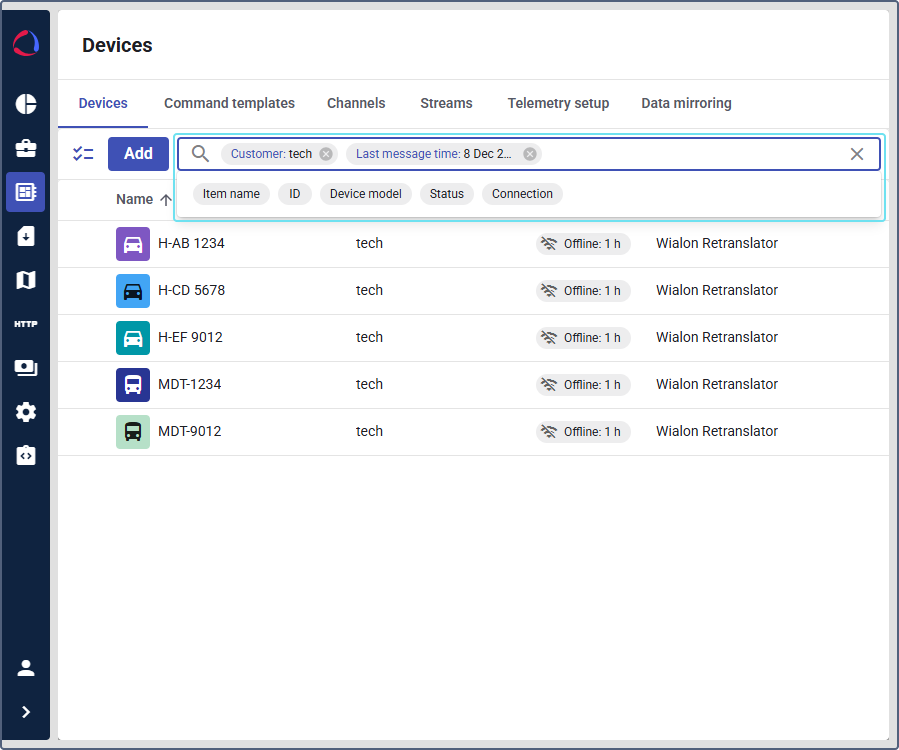
You can filter the device list using the following criteria:
- Item name: Select one or more specific device names from the list and click Apply.
- ID: Select one or more specific device IDs from the list and click Apply.
- Customer: Select one or more specific customer names from the list and click Apply.
- Device model: Select one or more specific device models from the list and click Apply.
- Last message time: Select a predefined time range (for example, Last 30 days) or a custom range from the calendar and click Apply.
- Status: Select either Enabled or Disabled.
- Connection: Select either Connected or Disconnected.