Setting up preferences
Who can do it: Service provider, Customer
Where: Wialon Platform FleetSpace
In Wialon Platform FleetSpace, the customer can select the interface locale and set the dark mode in the account settings. To do this:
-
Click the icon
 in the sidebar to open the menu.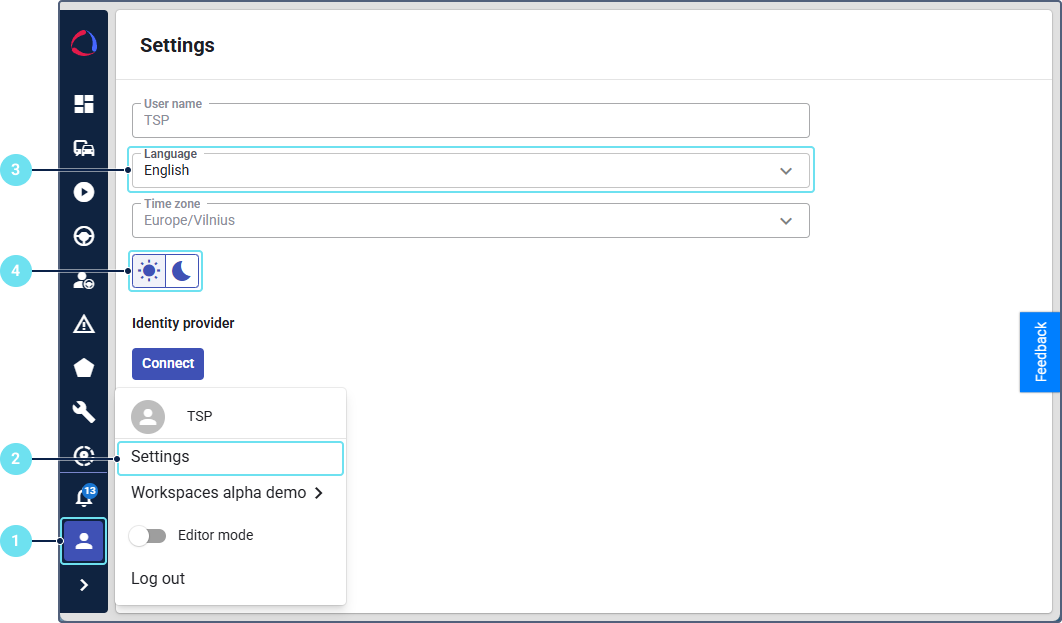
-
Navigate to the Settings page in the menu.
-
Select the interface locale: language, region and date-time format.
-
Select the interface mode: light or dark.
To set a different time zone for a customer, see the guide Setting the time zone.
On the Settings page, the customer can also connect to the identity provider for logging in using the identity provider credentials.