Interface
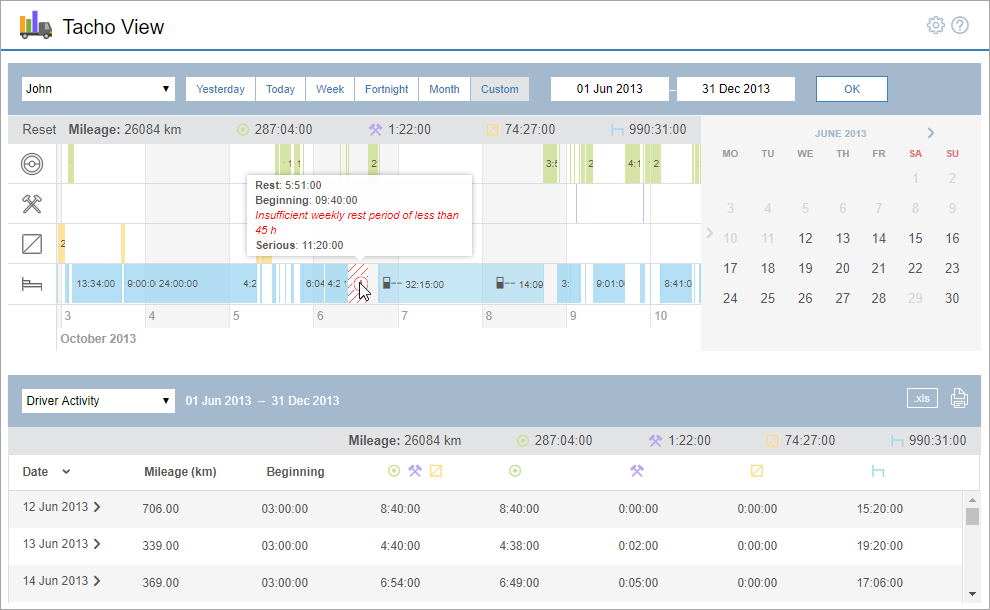
There are 3 main blocks in the application interface:
- request formation block;
- driver activity chart;
- block of reports.
To go to the application settings, click on the icon  in the upper-right corner. To open the documentation, click
  .
.
There are 3 main blocks in the application interface:
To go to the application settings, click on the icon in the upper-right corner. To open the documentation, click .
If you find a mistake in the text, please select it and press Ctrl+Enter.
Your message was sent. Thank you!